List of code tidbits
This page has a random list of code tidbits or bash command line tricks to do stuff with AWS.
 Dave Koopman
 This page has a random list of code tidbits or bash command line tricks to do stuff with AWS.
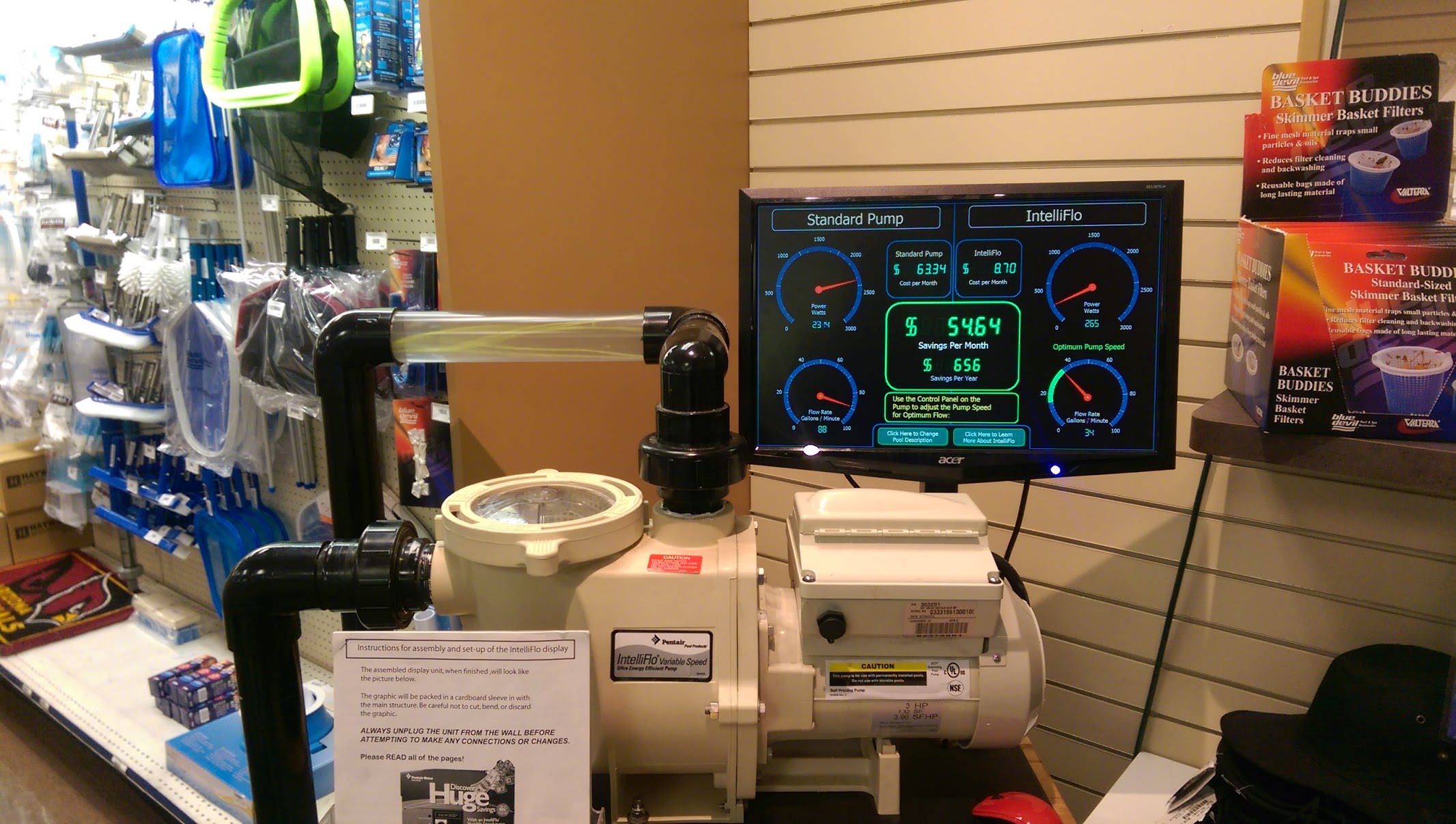
Today’s Patio and Spa at Cactus and Tatum (they’re awesome) had this Pentair IntelliFlow Variable Speed 3HP on display with a computer program to estimate your electricity bill saving’s per month. The knowledgeable and helpful salesman showed me something like this on the fancy computer screen:
Hours per day: 10
kWh charge: $0.13
Old 2HP pump cost per month: $97.50
New pump cost per month: $12.48
Savings/mo: $85
(NOTE: The picture above depicts $55/mo savings b/c I went back and put in my actual kWh rate, $0.09 and snapped this photo after I wrote this article.)
The screen was animated to look pretty, but the calculation was pretty simple. The way this pump saves so much is it only runs at high speed cleaning mode for 2 hours a day at about 1 kWh and then very low speed for 10 hours a day at about 150 Wh (that’s 0.15 kWh). My old pump only had one high speed and consumed about 2500 Wh for the full 10 hours a day it ran.
My old motor burned out and I needed to buy a new one. My decision to buy this Pentair IntelliFlow Variable Speed unit for $1250 (grand total out the door, with pro certified install and sales tax) over the $450 (grand total out the door, w/ sales tax, but self install) was based on long term cost savings. At $85/mo in electric bill savings, I’ll break even on the cost difference in 10 months, and the unit will pay for itself after 15 months. After that, it’ll be $85/mo in my pocket. Sounds like a wise investment…..
BUT, will it really save me $85/mo? REALLY REALLY?
Read moreHow much will Pentair IntelliFlow Variable Speed Pool Pump Save me?
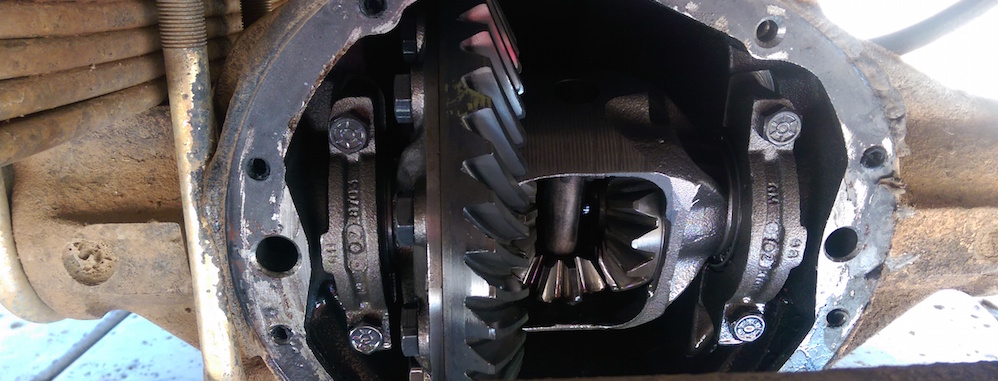
It’s a good idea to change out the oil in the front and rear differentials periodically. Hard to say how often, once every 3 years or so. Some might say every 15K miles. Certainly need to more often on an old truck like an ’83 K5 Blazer. This is preventative maintenance. The differential is also known as the pumpkin because of its’ shape. Most cars and trucks have one on the back and one of the front (if 4×4). The diff takes power from the drive shaft spinning and uses gears to transfer that motion to the axles that spin the tires.
In this video, I walk through a full cycle of draining the oil from both diffs, removing the covers, cleaning the diff innards, putting it back together and filling with fresh oil. I also show how I overcame a particularly difficult problem: rear diff fill plug was stuck and stripped. Then it got worse when an easy out snapped off inside the plug. I couldn’t drill through the easy out, even with cobalt and titanium drill bits. Irvin bolt-grip did the trick and I was back in business.

Say you have an object, widget, that you want to keep track of all of the actions taken on it, including CREATE, TASTE, and DELETE. Each widget will only have 1 CREATE and 1 DELETE (when deleted) action, but may include many TASTE actions. These widgets come in three flavors: VANILLA, CHOCOLATE and STRAWBERRY.
This article will demonstrate a DB structure to support this and then some very interesting SQL queries you can run later for statistics to help with capacity management. There are many real world applications for this pattern.
Let’s say you need different types of servers to support VANILLA, CHOCOLATE and STRAWBERRY widgets, and that each server will support 1000 LIVE widgets. If a widget is deleted, that’s space for another widget to live. After a month of running, how many LIVE widgets of each flavor did you increase by? How many servers do you need to buy so you don’t run out of capacity?
Here is a DB structure to support this scenario:

Not a good idea to name python files with hyphens. If you can, rename. Use underscores, not hyphens.
Sometimes it’s not feasible to rename and you just want to import. Can’t use “from some-package import some_method”. Instead you load the whole file as a named object, like this:

In the previous article, we discussed the Sprint Length and the pros and cons of 1 week versus 2 weeks.
In this article, we’ll talk about the Demo. This is the most fun part of Scrum, showing off. Invite all stakeholder, especially the PO, and even better if you can: customers. Be proud, be energetic, dazzle the audience.

Have you read the Django Signals Documentation and wondered, “Okay, how the heck do you actually use it? How about an example?” If so, then you’ve come to the right place.
Will demo by example adding signals for pre_save, pre_delete to raise an exception if a READ_ONLY_FILE exists to prevent the DB from changing. Then, add signals for post_save and post_delete to print the change to stdout. Using print as an example, a more useful thing would be to write it to syslog or something – say you want to log every DB change that occurs.